
Everything, in one app

Built for trips planned by more than one person

Every screen below is the real app — no mockups, no filler content. Seven pieces that fit together as one trip, not seven separate tools.

Shared itinerary

One plan, editable by everyone on the trip

Flights, stays and activities scheduled day by day, visible to every traveller the moment it changes. The itinerary is the trip — not a snapshot someone forwarded last week.
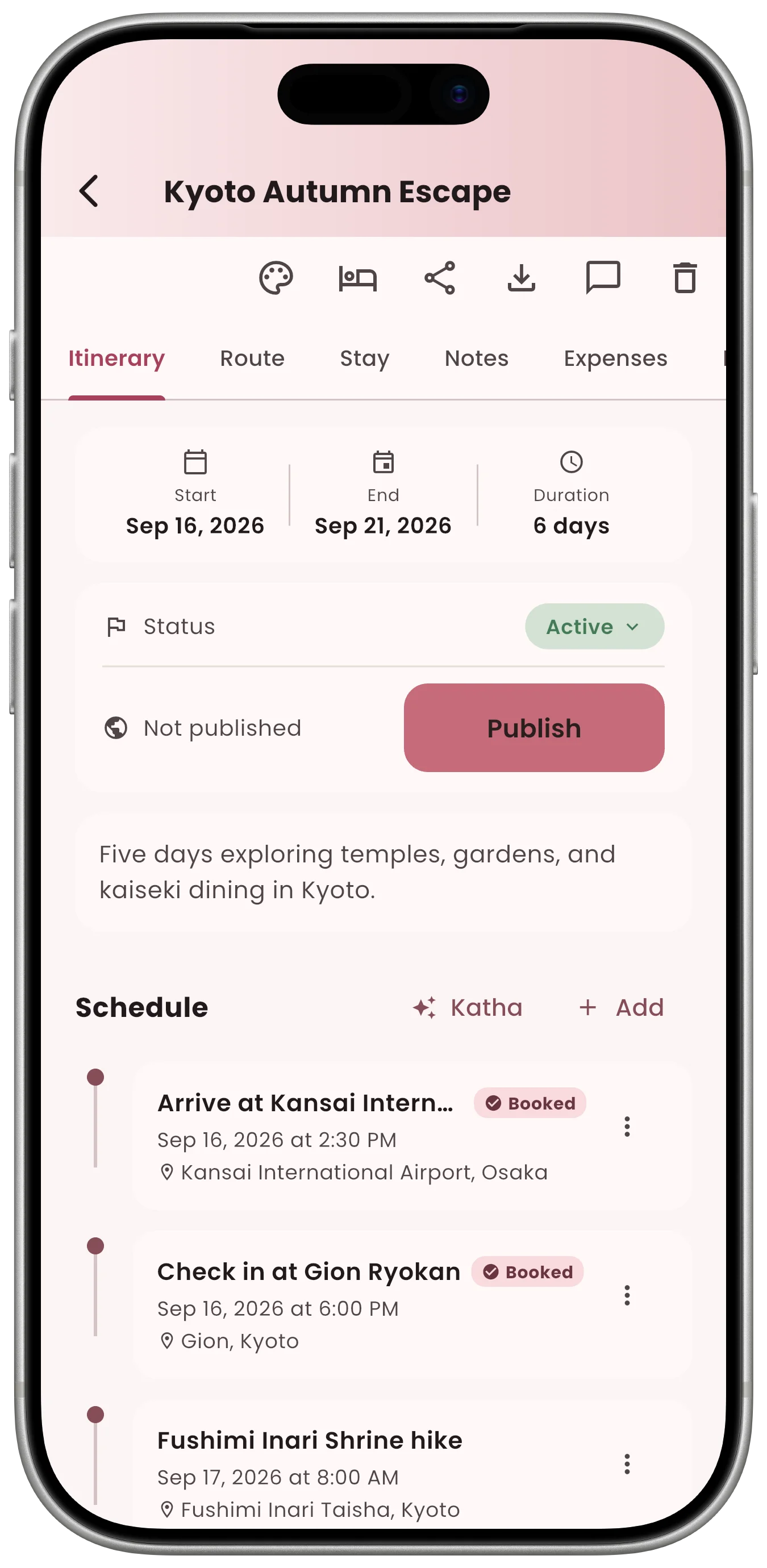
  • Day-by-day scheduling with drag-and-drop reordering
  • Traveller list attached to the trip itself
  • Edits sync in real time for every collaborator
Kumo trip itinerary screen
Trip roles

Not everyone on the trip needs an account

A Captain can add a Hitchhiker with just a shareable link — no name, no login, no signup, no account of their own. Most trip-planning apps assume every traveller has their own account; Kumo doesn't, because it's built for groups, not individuals.

🧭

Captain

Has a full account and owns the trip — invites everyone else onto it, Crew or Hitchhiker, and keeps the plan on track.

🧳

Crew

Full account holders who can jump between every trip they're part of, not just this one.

🎒

Hitchhiker

No account, no login, no signup, no name or details — joins through a shared link only, then opens the Kumo app or the web page to see the plan and join the chat.

Trip chat

The conversation stays with the plan

One chat thread per trip — not a group text that outlives the trip and gets confused with three other group texts. Everyone invited to the trip sees the full history.

  • Chat lives inside the trip, next to the itinerary
  • No separate app or thread to keep track of
  • New collaborators can read the context they missed
Kumo trip chat screen
Route & discover

See the trip laid out, not just listed

A route view across every stop on the trip, plus a Discover tab for finding what's actually nearby — useful whether it's a single city or a multi-stop road trip.

  • Map view of every trip stop and route segment
  • Discover tab surfaces nearby places
  • Works alongside the itinerary, not instead of it
Kumo trip route and map screen
Expenses & cost tracking

Know who's paying for what

Log trip expenses against the itinerary and see the running total for the group — the spreadsheet nobody wants to maintain, done automatically instead.

  • Expenses attached to the trip, not a separate app
  • Cost tracking visible to the whole group
  • Feeds straight into Work Mode's approval queue for business trips
Kumo trip expenses and cost tracking screen
Trip mode

One app, however you're travelling

The core trip — itinerary, chat, route, expenses — is the same either way. What changes is who's allowed in, and who signs off.
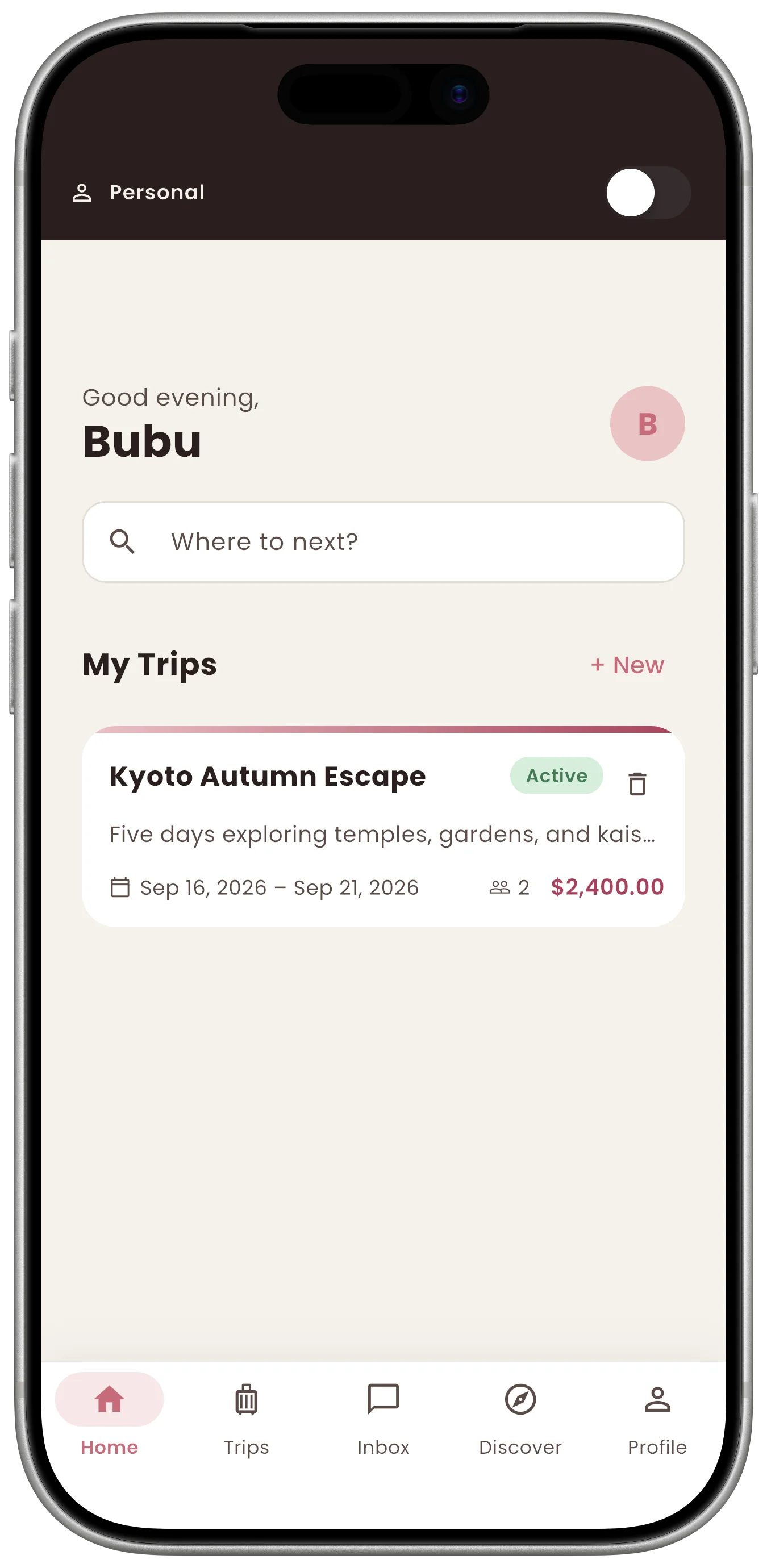
Personal mode

For trips that are just yours

  • Personal trip list, not tied to any organisation
  • Add a Hitchhiker with a link — no name, no login, no signup
  • No approvals, no admin — just the group deciding together
Kumo home screen in Personal mode

Kumo Work Mode for business travel

Work mode

For teams that travel together

  • Org-scoped trip list, separate from personal trips
  • Join codes for self-serve team onboarding
  • Admin approval queue for submitted expenses
Kumo Work Mode home screen for organisations
Make it yours

10 hand-crafted themes

From Deep Voyage's navy-and-gold to Cherry Blossom, Synthwave Tokyo and more — switch anytime from your profile. Same app, your look.

  • 10 complete visual themes, light and dark
  • Switch anytime, no restart needed
  • Pick your look right from the Profile tab
Kumo profile screen with theme picker set to Cherry Blossom

See it for yourself — get notified at launch

We're finishing up before launch. Leave your email and we'll let you know the moment Kumo is live on iOS and Android.